

Deployment pipeline is a great feature, but there is one option where you should be very careful.
Deployment of dashboards!
Why?
Because if you have image tiles with links to reports, these links will BREAK.
Let’s see it in action.
When you create image tile on a dashboard, you define link to image which is shown on a tile and then you define “Link to a dashboard or report in the CURRENT workspace”:

Now, when we deploy this new dashboard to the next stage using deployment pipeline:
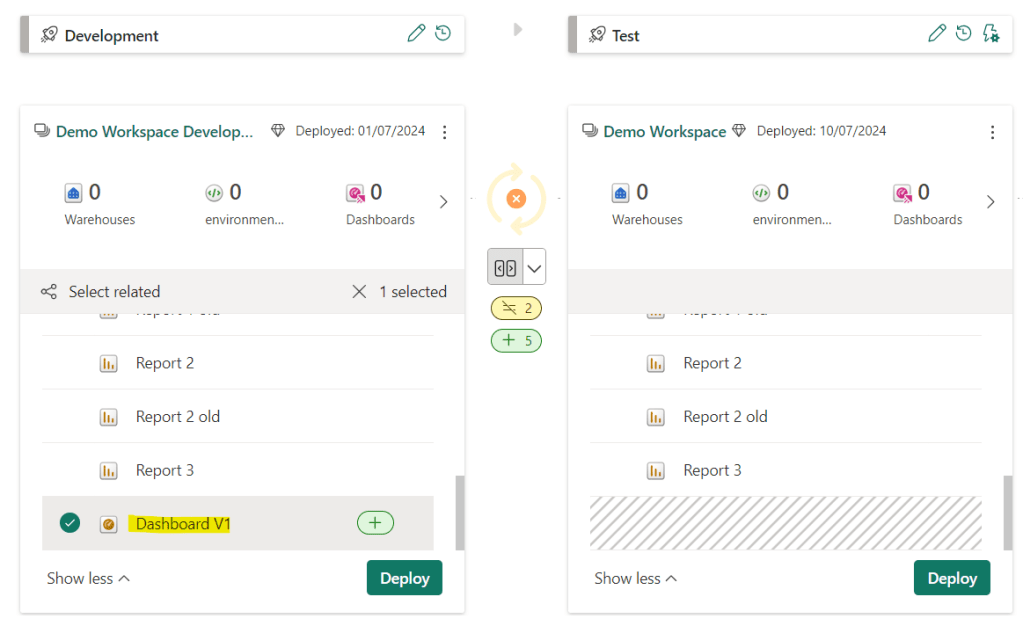
And then we open that dashboard on the next stage (in different workspace), go to edit options of the tile:
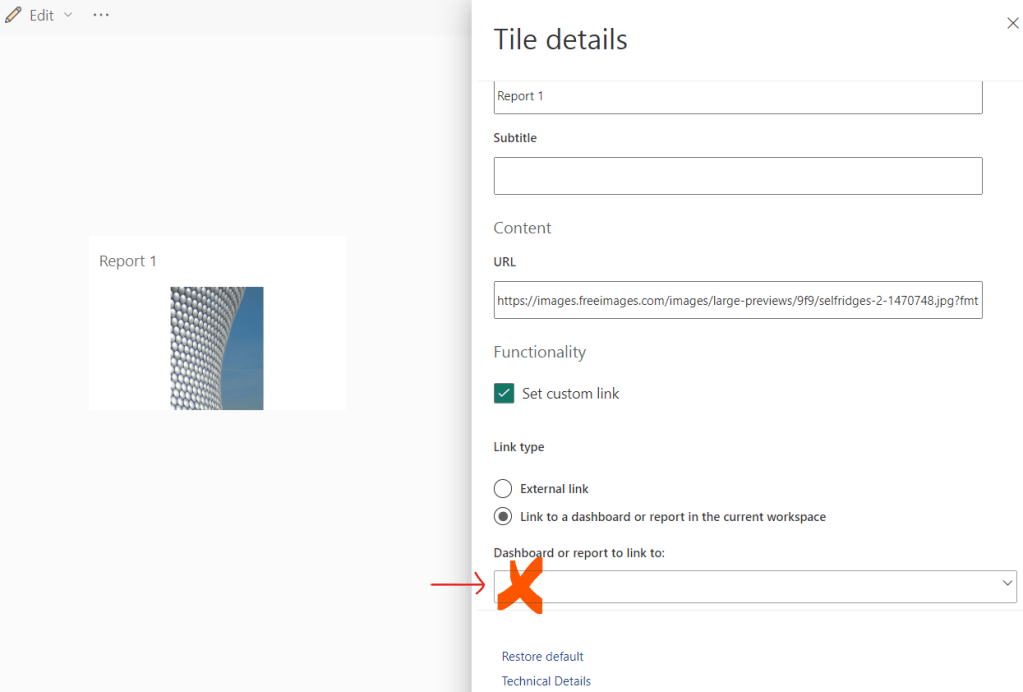
The Link is BLANK! It seems to be BROKEN!
When you click on this tile, it navigates you to a Dashboard on original workspace, not on the one where we deployed it.
This “bug” has been there for a long long time. Not sure if it is a bug or a feature, but definitely something to pay attention to.
Until this has been solved, i keep my dashboards on one workspace just as a backup, but all updates i work on the final stage.
Couple of times i had dozens of report links on a dashboard which had lot of changes.
This led to almost daily doing same thing over and over again – fixing links.
Until this issue is solved, i do not deploy dashboards which contains lots of links.
 DATA TREKKING