

I agree.
The first question would be: “WHY would you like to export 20 MILLION rows from table in Power BI file???”
(The Power BI is there to import data from data source.. not to export data to data source..)
Yes, that question is very good. And i would like to distinguish two things at the very beginning:
- Export option for business (end) users. They analyze a report and if needed, they want to export data from specific table or chart to xlsx or csv file. Here we talk about hundreds or a few tens of thousand of rows.
- Export option for developers. Exporting 20 million rows is not a scenario for end users. For developers, yes, it can be – we’ll see my scenario in this post
Business users have these export options:
- export 30.000 rows to csv file
- export 150.000 rows to xlsx file
- export 500.000 rows to xlsx file keeping live connection to actual visual on Power BI Service
In my case, i needed to export 20.000.000+ rows, so none of these options above would work.
Now, let’s see my scenario.
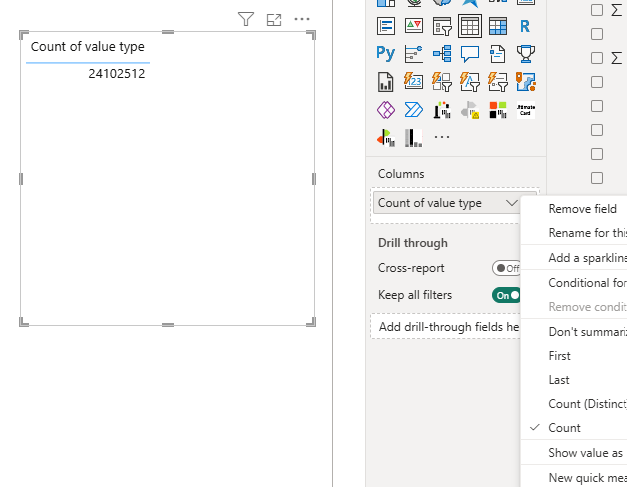
New business request: we need to build reports which compare week over week snapshots.
Data is changing daily, so we need to get actual snapshots – data on specific date. In my case, snapshots should be taken on Monday because it will cover full previous week (Monday – Sunday).
Luckily, we do a daily backup for our datasets.
In order to get needed data, we needed to export data from all pbix datasets in January and February which were taken on Monday.
All datasets can be downloaded locally, on Power BI Service we keep only actual dataset.
Summary: i need to export around 20.000.000 – 25.000.000 million rows from 8 pbix files. So in total, aproximately 180 million rows.
There is also a new option (Feb 2025.) to copy/paste table data directly from Power BI desktop application.
And this works fine. I managed to export 500.000 rows and 5 columns within few seconds.
However, 20 million rows and 50+ columns.. it can’t, Excel would just freeze, collapse. Don’t try this :)
So, i was investigating what would work.
As for my scenario there is no need to automate this process, this would be only one-time process, i found two ways to solve it.
There is no Power BI built-in tool.
I needed to use 3rd party tool: DAX STUDIO or BRAVO.
Both tools are free!
Both tools have EXPORT option, which is what I needed.
I will cover Dax Studio steps, as this is this tool that i regularly use. But this was the first time i used it to export data.
Until few days ago, i used it always to export Metrics.
And i always asked myself why would anyone use option to export Data..
EXPORT DATA USING DAX STUDIO
First of all, of course, is to download Dax Studio via https://daxstudio.org.
Afterwards, open Power BI desktop file (pbix) which contains table with millions of rows.
Open Dax Studio.
On pop-up window select the first option, Power BI / SSDT Model and then in dropdown list select the dataset (screenshot below) and click on button “Connect”:
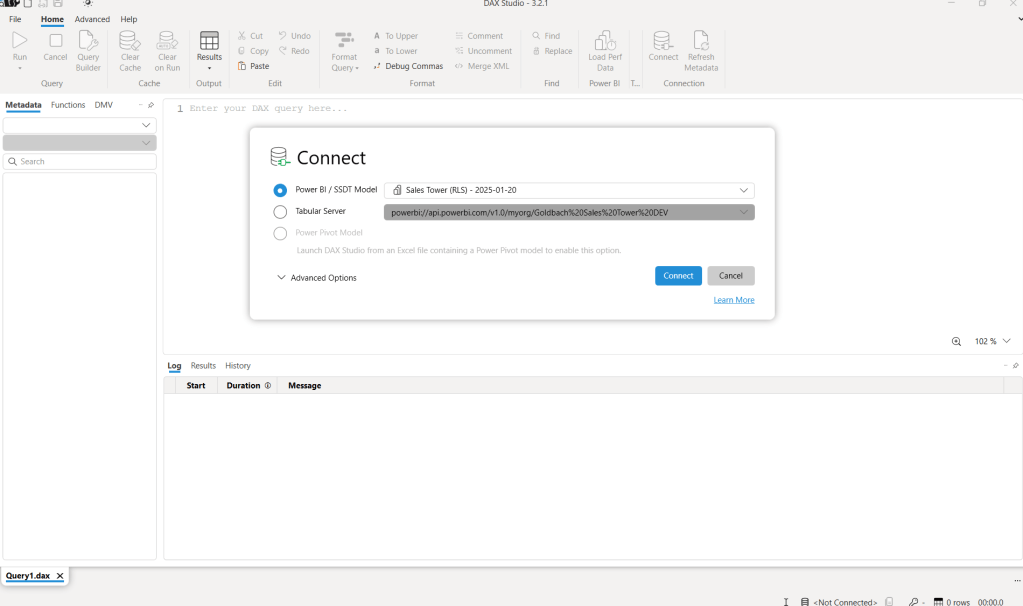
Next, click on Advanced within navigation ribbon and then click on option “Export Data”.
New window will pop-up where you choose whether you would like to export data to csv file or to SQL table:

For comparison reason, here are export options for export to SQL table and for export to CSV file.
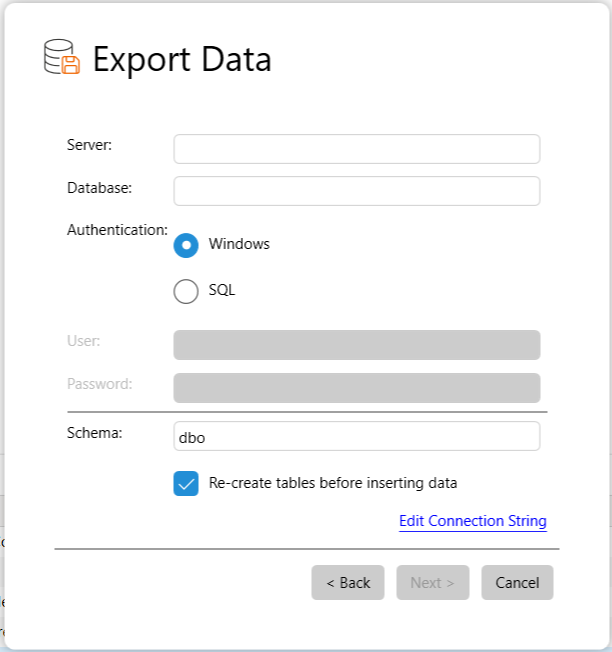
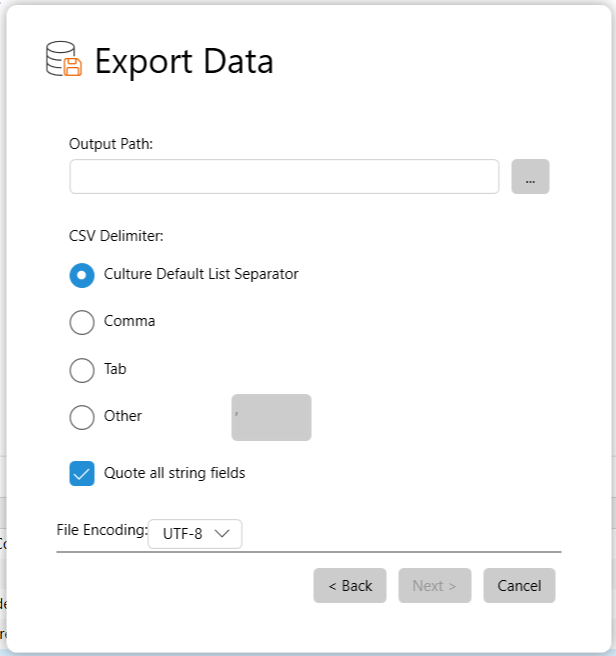
In my case, i selected CSV, selected output path (folder where this export data will be stored).
Next step is to select table/tables from which we need to export data.
For my requirements, i needed to export data only from one table (the fact table).
Nice things is that in this step you can even select tables which are hidden from reporting.
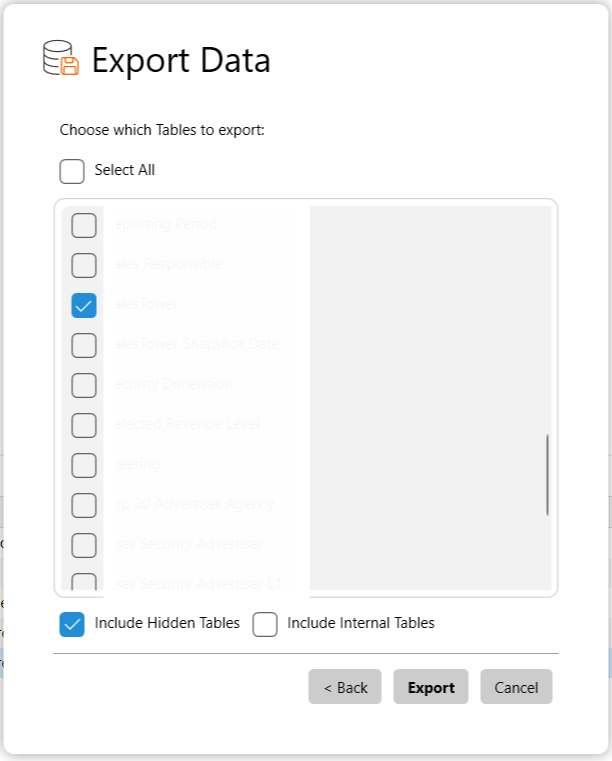
After selecting needed table, click on Export.
It took around 25-30 minutes for the first export (20-25 million rows, 50+ columns).
As i did this step for 8 exports, total amount of time was around 3.5 hours.
Good things is that total active time from my side was less than 10 minutes. Everything else was working in the backend, so i could work on other tasks in Power BI or Excel.
Other options that could be possibly used were:
– Fabric/Data lake storage of pbix file where we select specific table and export data
– xmla endpoint
– paginated reports
Let me know if you already used any of these alternatives or maybe there are some other better solutions.
 DATA TREKKING